AI Trading System Video Learning Center
Start from zero and follow the videos to learn how to install and configure the AI trading EA for MT5 and trade gold with AI in practice — Bilibili in mainland China, YouTube elsewhere.
Software tour · click a page to view it
Below is the real interface of the Sunyue AI console (screenshots from a demo account). Click a page in the navigation and the picture switches to that page; pages marked ▶ have a 2-minute walkthrough video — click the button in the middle of the picture to play it right here.
Latest tutorial videos
Synced automatically with the Sunyue AI YouTube channel · updates here whenever a new video is posted


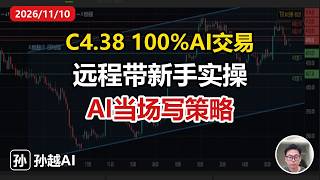
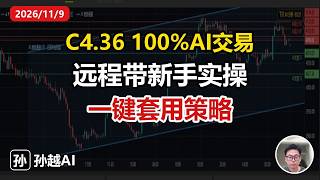
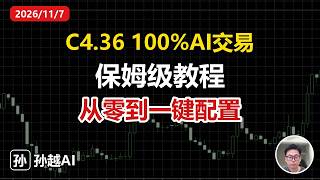
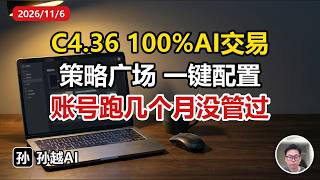
Live stream · AI trading in action
Watch how the AI analyzes, places trades and takes profit · streamed live on YouTube
Software downloads
Download essential tools to improve your experience
RDO remote control tool for VPS cloud servers
Manage multiple VPS servers in bulk and make operations more efficient
suanli.sale AI API platform — API keys for the EA
583+ AI models · direct access from mainland China · 20%+ cheaper than official pricing


 and more: 20+ AI models
Tutorial highlights
We provide the most detailed, easiest-to-follow tutorials
HD video
Recorded in 1080P HD
every step clearly visible
Step-by-step guidance
A real person demonstrates every step
easy to learn even with zero experience
Real-time answers
Ask whenever you run into a problem
our professional team responds quickly
Learning path
Follow the steps below to master the EA system with ease
Watch the full video tutorial
Understand the whole workflow and what to watch out for
Download the EA file
Go to the download page to get the latest EA
Buy a License
Go to the purchase page to get a license for your account
Start trading
Configure the EA by following the video tutorial and enjoy automated AI trading
Tips
- Subscribe to our YouTube channel @xauusd-ai for the latest tutorial videos
- We recommend watching the tutorial videos in full before first use to avoid mistakes
- If you run into a problem the videos do not cover, contact the support team
- EA parameters can be adjusted to your own risk appetite; we recommend starting with conservative settings